> For the complete documentation index, see [llms.txt](https://legion-studios.gitbook.io/legion-studios/llms.txt). Markdown versions of documentation pages are available by appending `.md` to page URLs; this page is available as [Markdown](https://legion-studios.gitbook.io/legion-studios/features/dispensers.md).
# Droid Dispensers
Legion Studios' droid dispensers, allowing Zeuses to have AI engage players quickly and take some of the load off of the Zeuses.
## 1. Usage
The easiest and most common way to use the Droid Dispensers is via the Eden and Zeus modules for it.
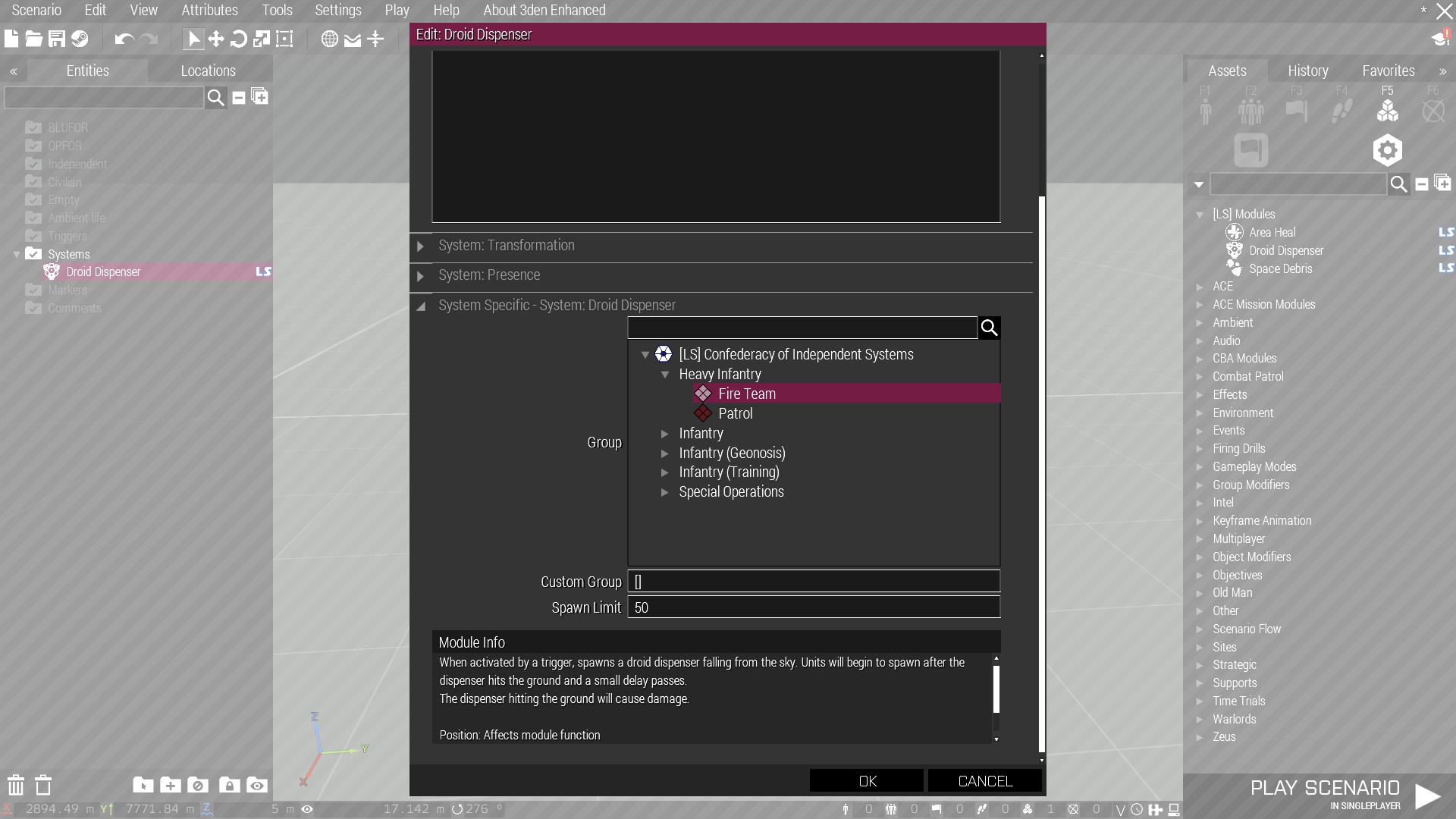
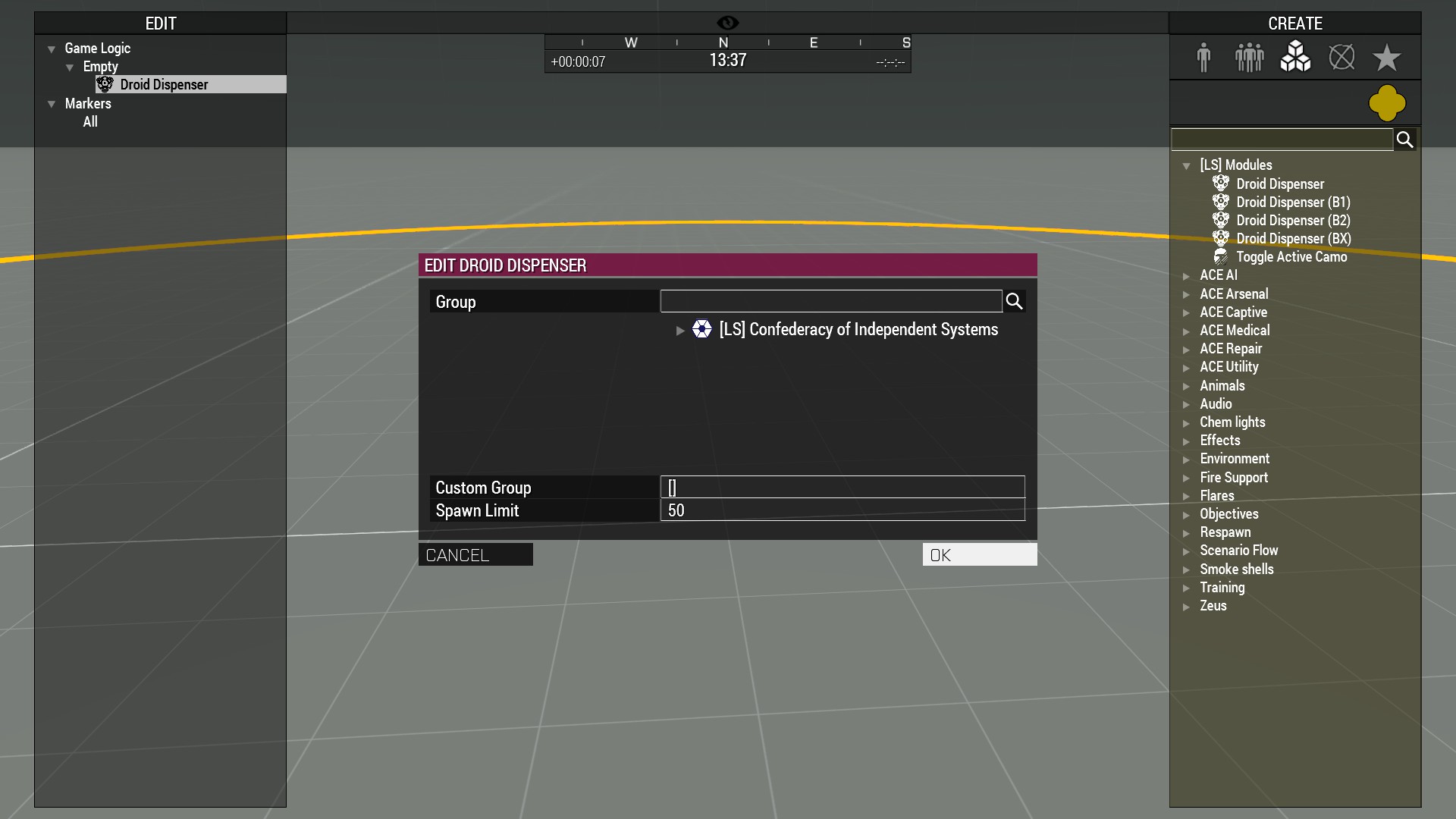
Both modules have the same options available, the "Group" field allows you to select a group defined in `CfgGroups` that have been configured to be available to Droid Dispensers. Simply click on the option and pressing OK will select it.
You can use the search bar to search for a specific faction, category, or group name.
If you'd like more customization, you can also provide a list of unit class names in the "Custom Group" field. It should be formatted as `['unitClass1','unitClass2']`. Unit classes that aren't defined will be filtered out.
By default, Droid Dispensers will automatically deactivate after spawning 50 units, you can set this limit to whatever you'd like or set it to -1 to make it spawn units until it is manually deactivated or destroyed.
### Eden
To use the Eden module, simply place it from the `[LS] Modules` category. Double click on it and scroll down to the module settings.
The eden module is activated via trigger, meaning you can have it activate from a radio signal; from players entering an area; having BLUFOR being detected by OPFOR; etc.
### Zeus
To use the Zeus module, simply place it from the `[LS] Modules` category. After selecting a group, press OK and the droid dispenser will begin to fall. Your last selected options will also be saved for the mission, and the next module you place will have the same settings as the last one you used.
A yellow circle around the module will be shown similar to the vanilla ordinance modules. Other Zeuses will be able to see this circle as well.